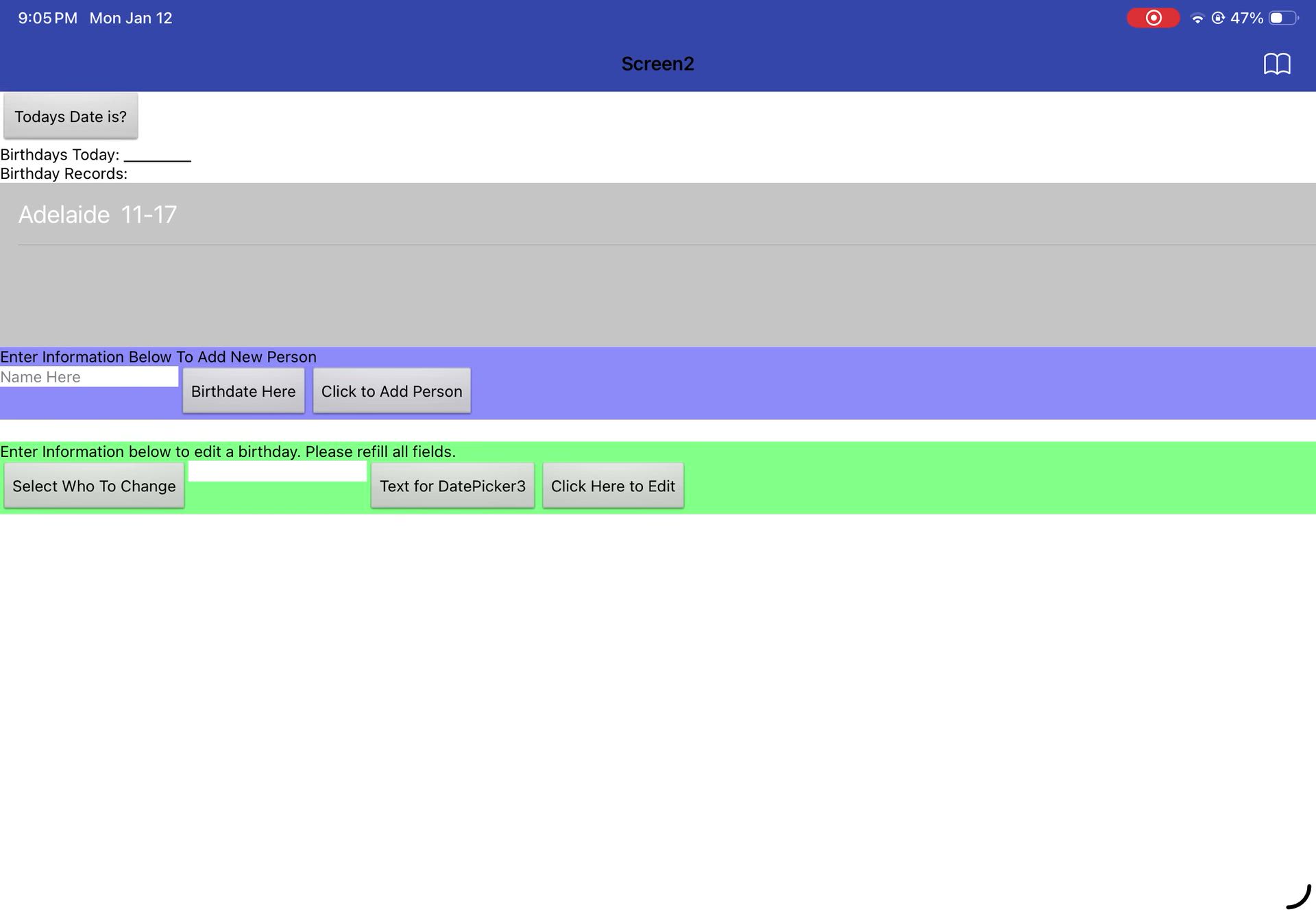
I developed this app for my computer science class. I like to keep track of my friends birthdays so I made a way to enter names and birthdays to track them. Then every time you could go in and enter today's date, it would tell you if anyone had a birthday. I also made it so you could change it if you entered a name or birthdate wrong. I used MIT app inventor to develop this code.
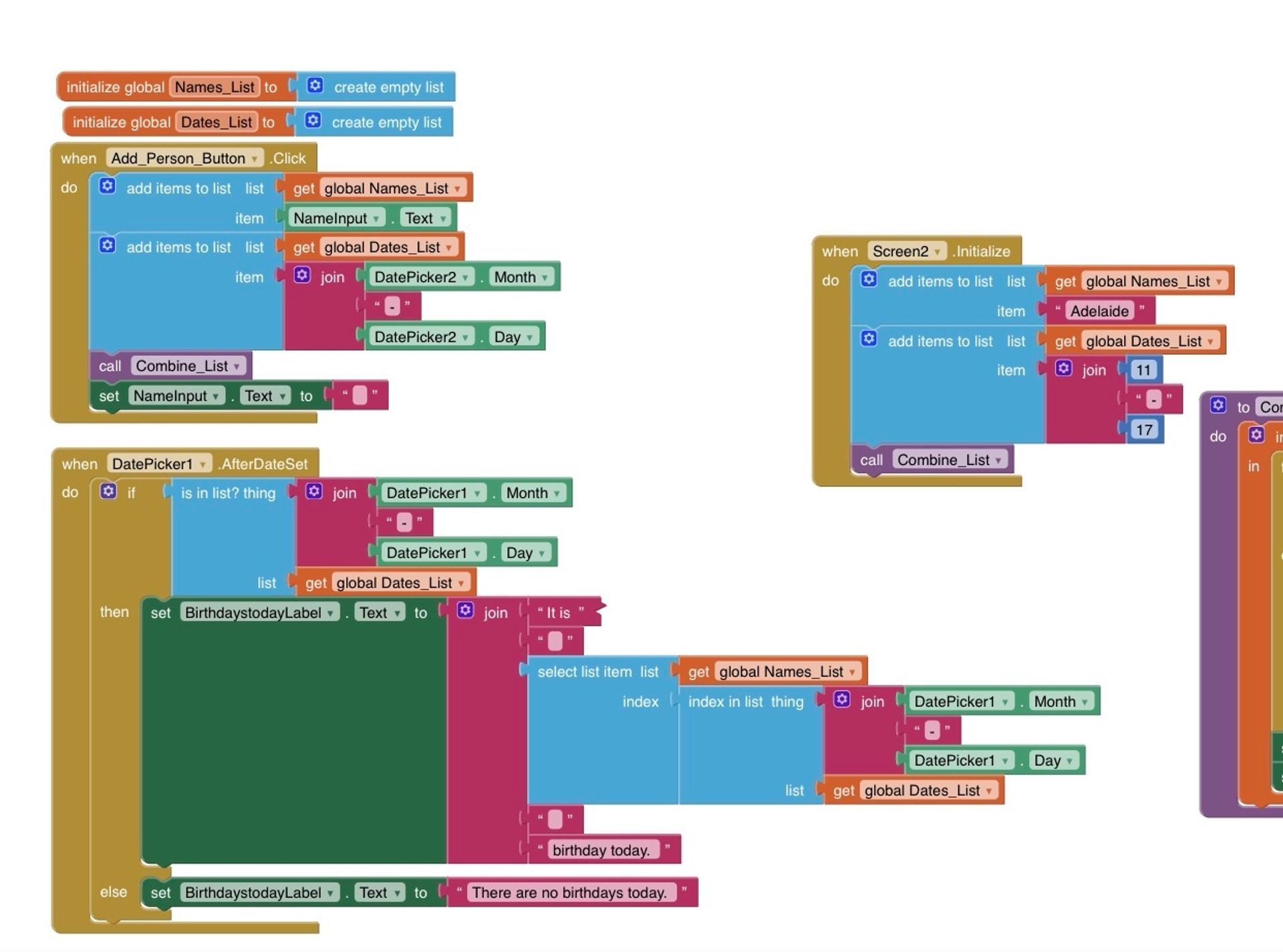
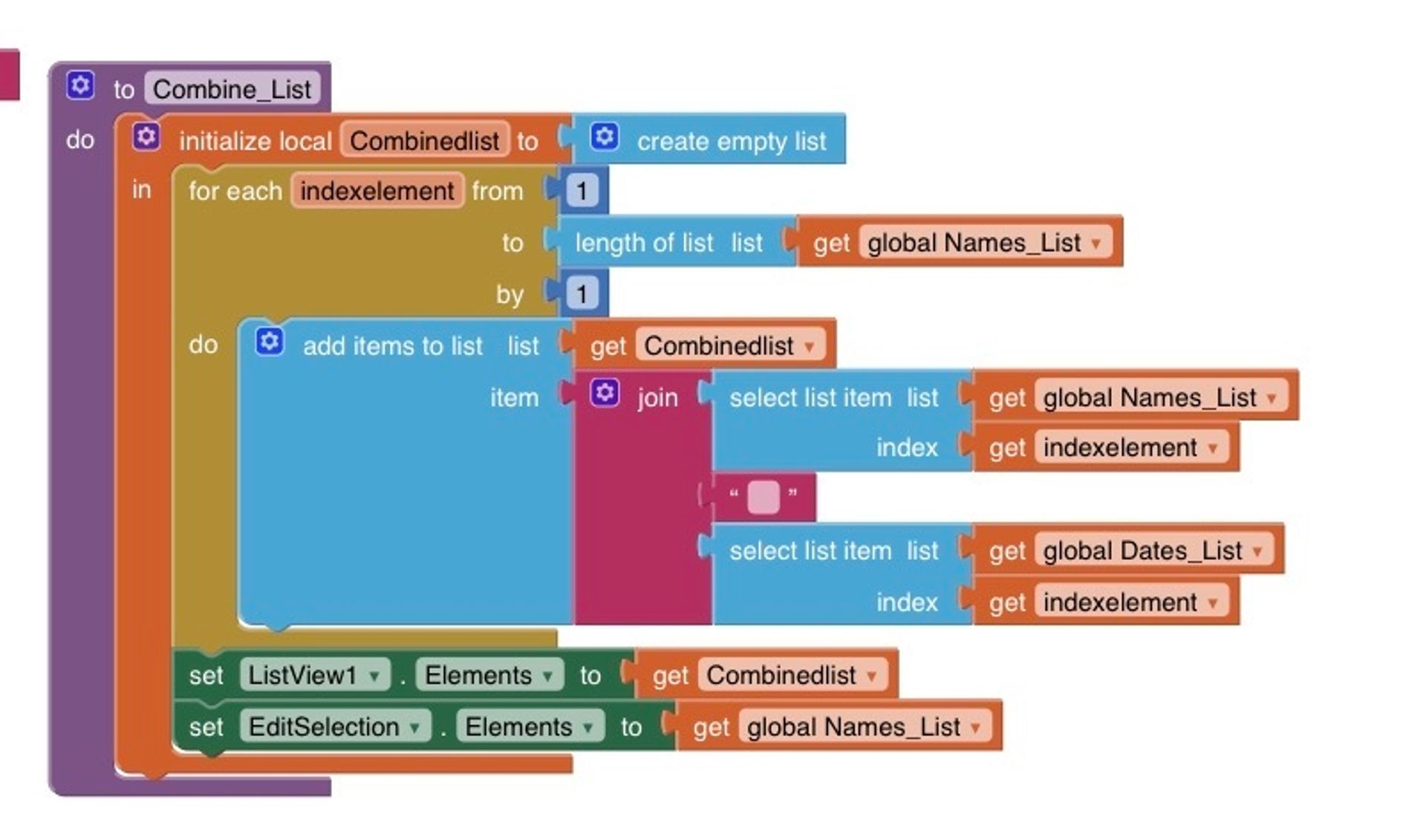
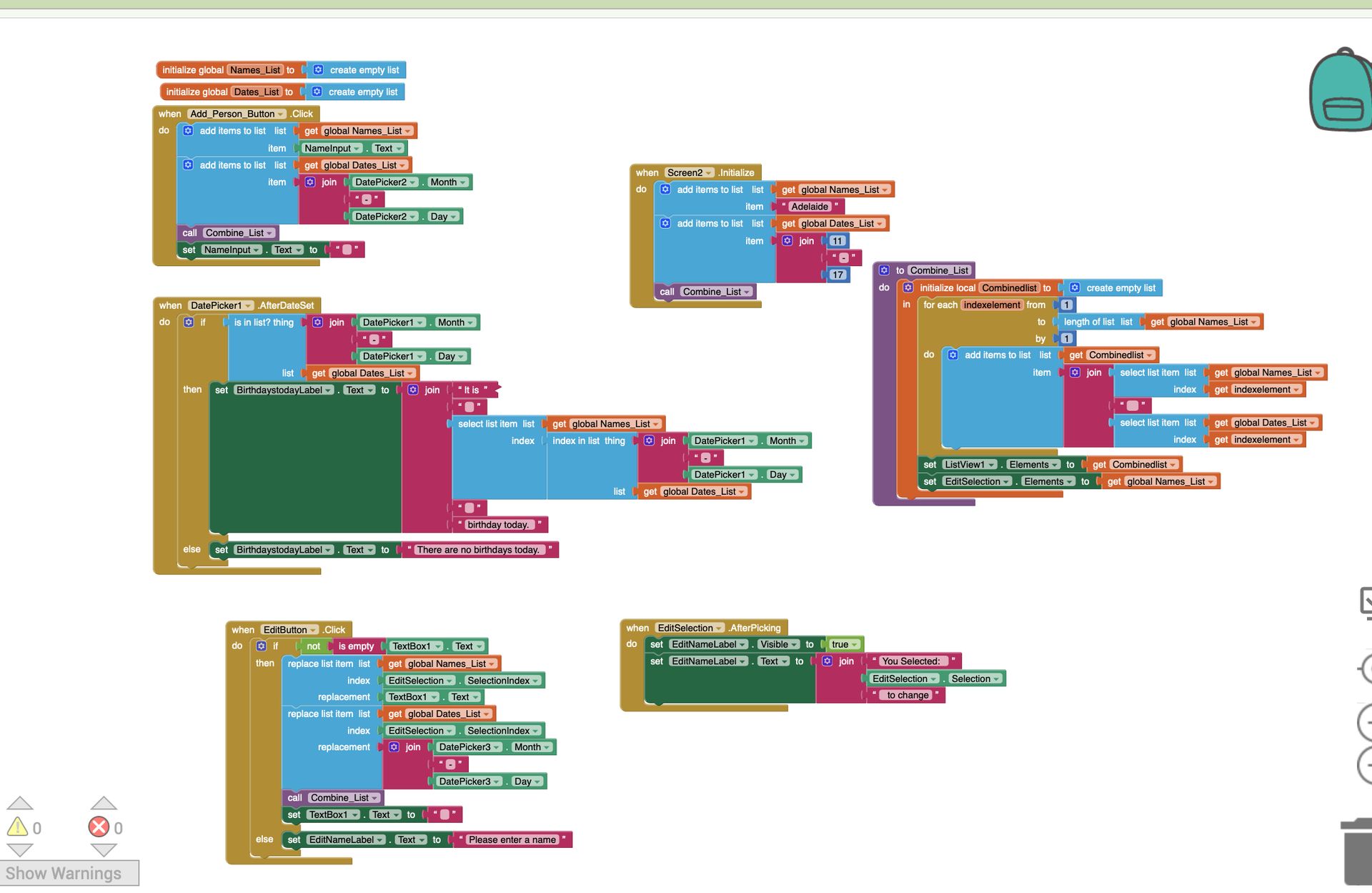
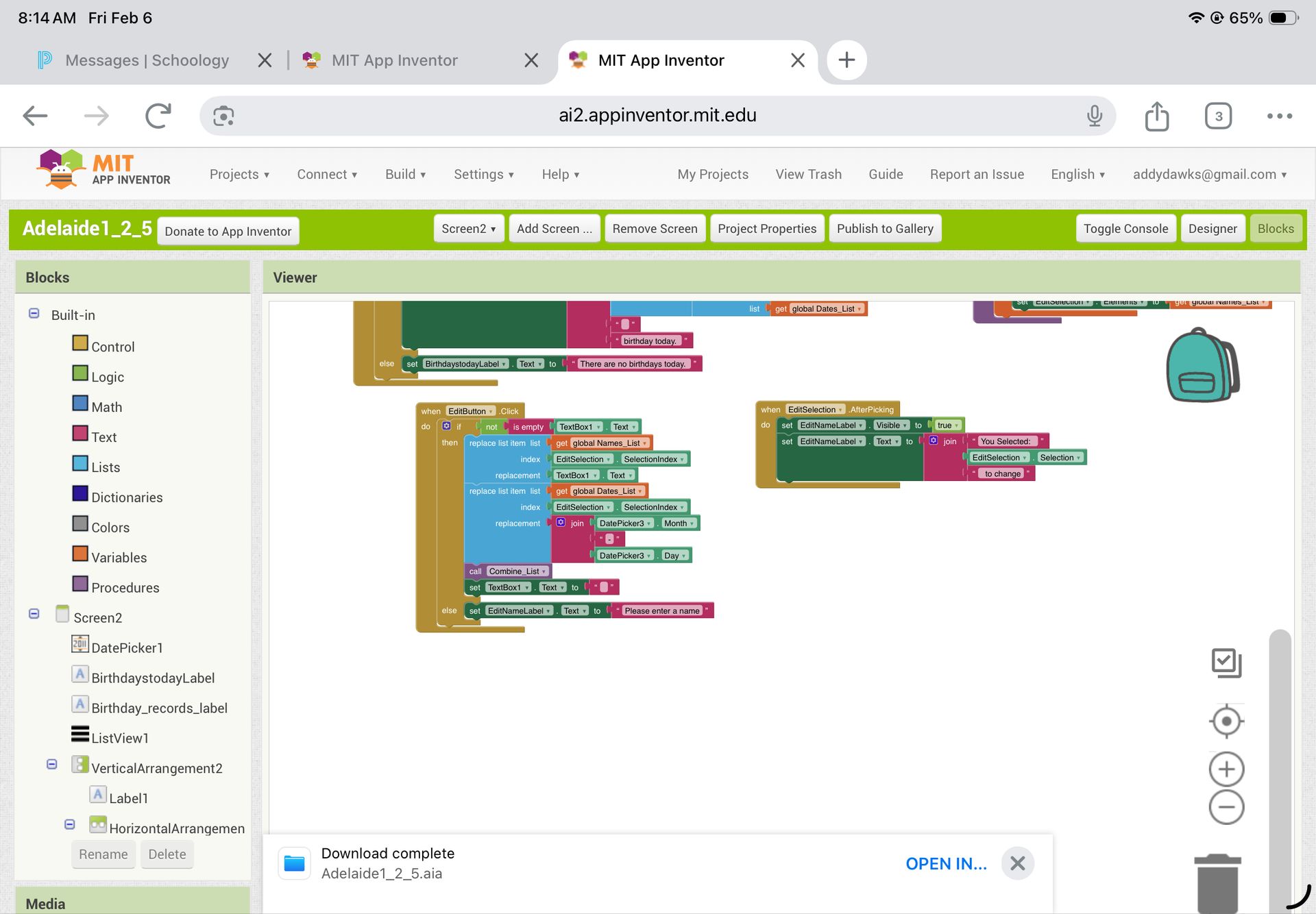
Open MIT App inventor in the browser. Open a new project and open the aia file (available using the URL). This will put the code on your screen. Then you can connect a Ipad with the MIT App Inventor app to display the function of the app. I also included picture of the code and video of the function, incase this process is too complicated.
I developed this app for my computer science class. I like to keep track of my friends birthdays so I made a way to enter names and birthdays to track them. Then every time you could go in and enter today's date, it would tell you if anyone had a birthday. I also made it so you could change it if you entered a name or birthdate wrong. I used MIT app inventor to develop this code.
Open MIT App inventor in the browser. Open a new project and open the aia file (available using the URL). This will put the code on your screen. Then you can connect a Ipad with the MIT App Inventor app to display the function of the app. I also included picture of the code and video of the function, incase this process is too complicated.
I developed this app for my computer science class. I like to keep track of my friends birthdays so I made a way to enter names and birthdays to track them. Then every time you could go in and enter today's date, it would tell you if anyone had a birthday. I also made it so you could change it if you entered a name or birthdate wrong. I used MIT app inventor to develop this code.
Open MIT App inventor in the browser. Open a new project and open the aia file (available using the URL). This will put the code on your screen. Then you can connect a Ipad with the MIT App Inventor app to display the function of the app. I also included picture of the code and video of the function, incase this process is too complicated.
I developed this app for my computer science class. I like to keep track of my friends birthdays so I made a way to enter names and birthdays to track them. Then every time you could go in and enter today's date, it would tell you if anyone had a birthday. I also made it so you could change it if you entered a name or birthdate wrong. I used MIT app inventor to develop this code.
Open MIT App inventor in the browser. Open a new project and open the aia file (available using the URL). This will put the code on your screen. Then you can connect a Ipad with the MIT App Inventor app to display the function of the app. I also included picture of the code and video of the function, incase this process is too complicated.
I developed this app for my computer science class. I like to keep track of my friends birthdays so I made a way to enter names and birthdays to track them. Then every time you could go in and enter today's date, it would tell you if anyone had a birthday. I also made it so you could change it if you entered a name or birthdate wrong. I used MIT app inventor to develop this code.
Open MIT App inventor in the browser. Open a new project and open the aia file (available using the URL). This will put the code on your screen. Then you can connect a Ipad with the MIT App Inventor app to display the function of the app. I also included picture of the code and video of the function, incase this process is too complicated.
I developed this app for my computer science class. I like to keep track of my friends birthdays so I made a way to enter names and birthdays to track them. Then every time you could go in and enter today's date, it would tell you if anyone had a birthday. I also made it so you could change it if you entered a name or birthdate wrong. I used MIT app inventor to develop this code.
Open MIT App inventor in the browser. Open a new project and open the aia file (available using the URL). This will put the code on your screen. Then you can connect a Ipad with the MIT App Inventor app to display the function of the app. I also included picture of the code and video of the function, incase this process is too complicated.